
Before you start
- Create and test the routine in the official Alexa app.
- Add the routine command to Buttons for Alexa and confirm it runs there.
- Install/configure Tasker.
- Tasker integration in Buttons for Alexa requires PRO.
Tasker setup step by step
Start from an importable template
Download the manual task or the disabled NFC Evening project, then choose your own saved routine. Templates contain no personal recordings or IDs.
Create a task in Tasker
Open Tasker, create or edit a task and tap the add-action button.
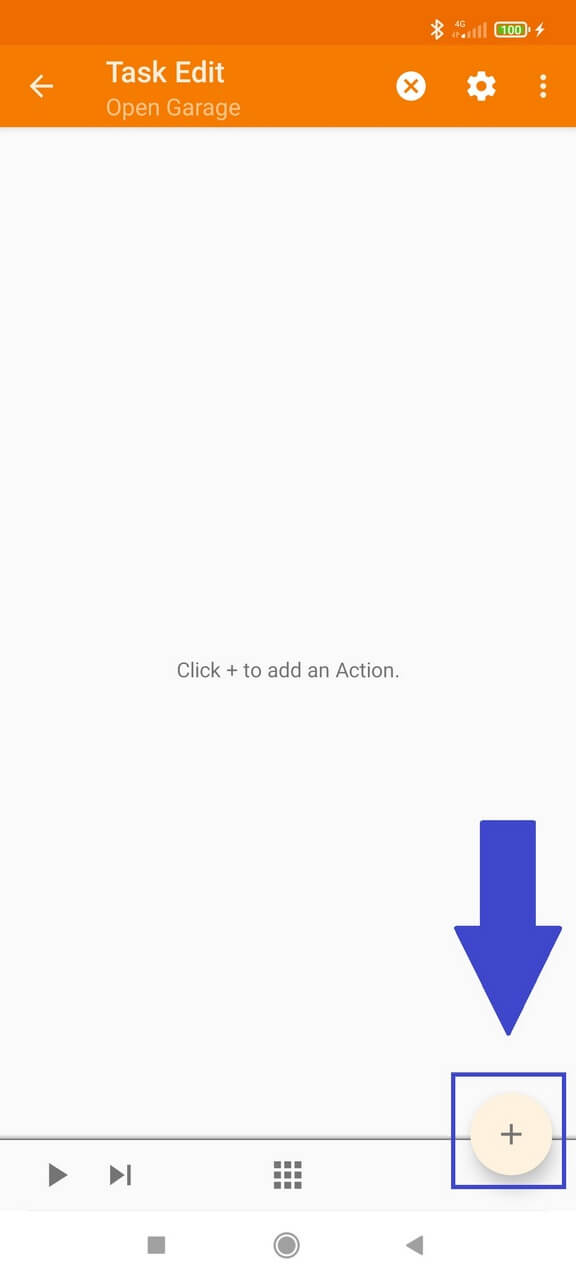
Choose Plugin
From the list of Tasker action categories, choose Plugin.
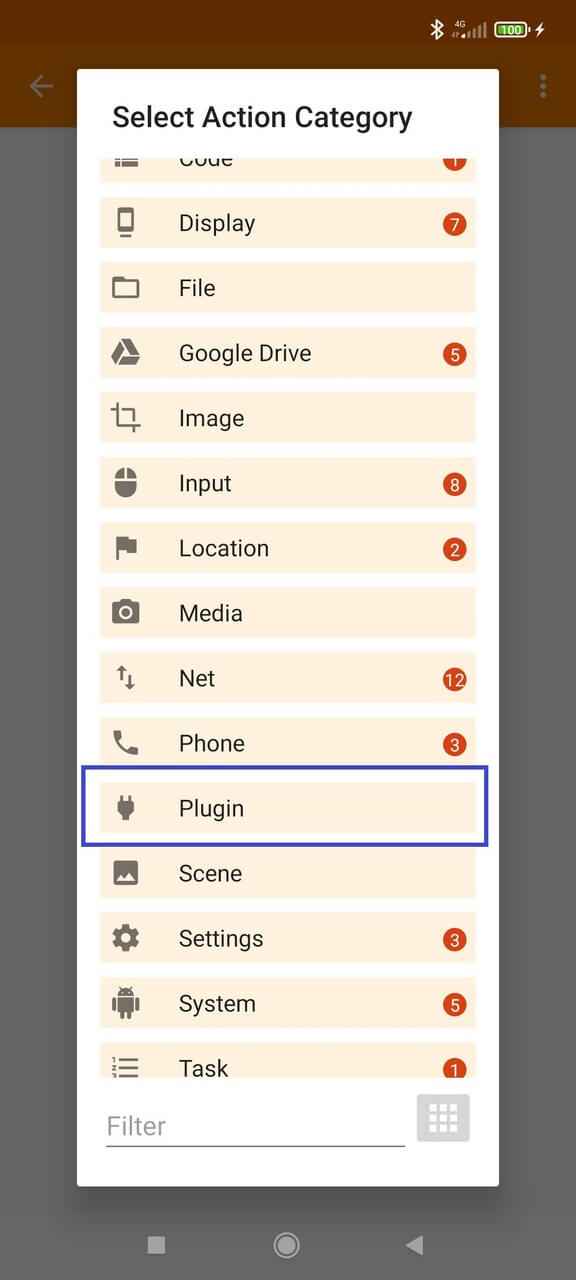
Select Buttons for Alexa
Choose Buttons for Alexa from the compatible plugins.
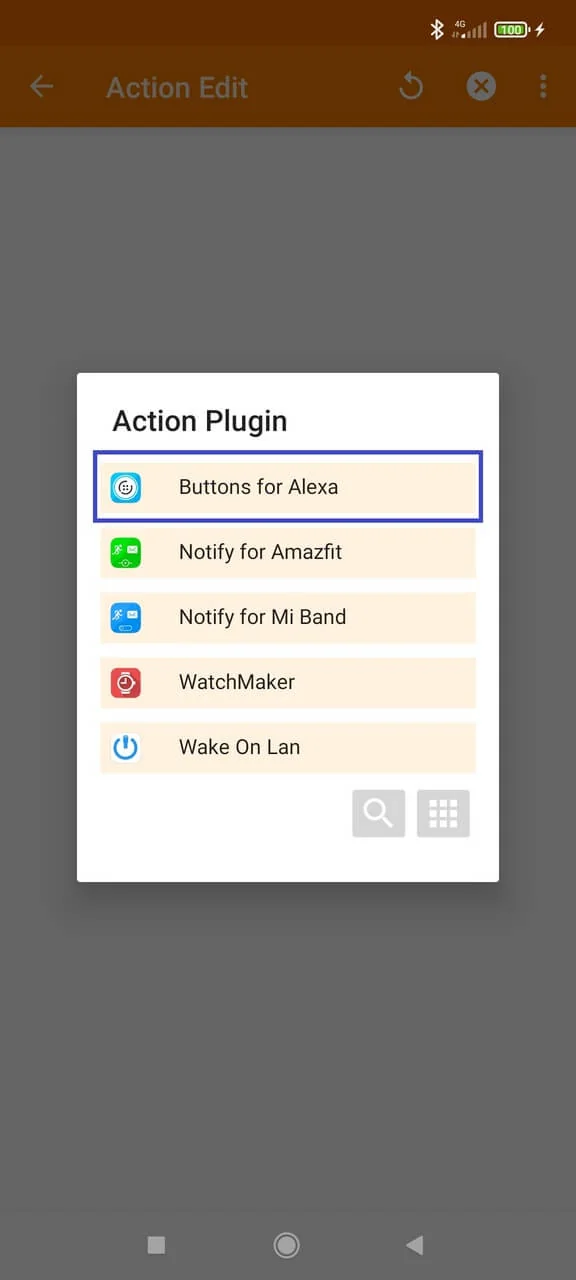
Open the plugin configuration
Open the configuration for the Buttons for Alexa plugin action.

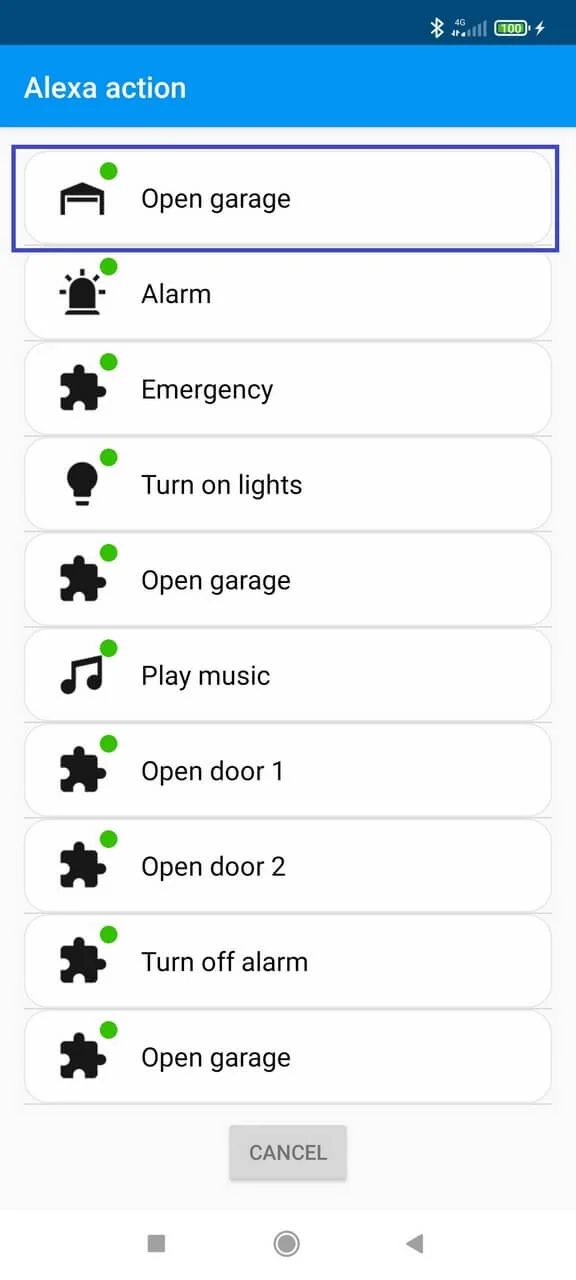
Choose the routine
Select the Buttons for Alexa routine you want this task to trigger and save the Tasker action.
Attach the task to your trigger
Now configure the Tasker profile/event that should launch the task. The trigger can be any event your Tasker setup can reliably detect.
Useful automation ideas
Tasker expands the trigger layer around your Alexa routine. Examples include running an action at a chosen time, after arriving at a location, when an alarm is dismissed, from a smartwatch action, or when another compatible app/device starts the Tasker workflow.
Tasker is one automation path, not the only one
Compatible Notify apps can also offer a dedicated Buttons for Alexa integration. Both integrations require PRO; there is no general public intent or direct Google Home recipe. Check supported integrations and requirements.
Android Auto is direct
You no longer need Tasker as a bridge just to run a routine from Android Auto. Buttons for Alexa has a direct Android Auto integration. Keep Tasker for custom event-driven car workflows that go beyond the direct in-car controls.
If the Tasker action does not work
- Run the routine directly from Buttons for Alexa first.
- Run the Tasker task manually before testing the profile/event.
- Open the plugin configuration again and reselect the routine if the saved routine list changed.
- Check Android background/battery restrictions for both Tasker and Buttons for Alexa.
Frequently asked questions
Can Tasker trigger an Alexa routine?
Yes. Buttons for Alexa provides a Tasker-compatible plugin action in PRO. In Tasker, add a Plugin action, select Buttons for Alexa and choose the saved routine you want to run.
Does Tasker talk directly to Alexa?
Not in this setup. Tasker triggers the Buttons for Alexa plugin action; Buttons for Alexa then executes the saved Alexa routine command.
Can I use time, location or another device as the trigger?
Tasker decides the trigger conditions. If Tasker can detect the event, it can run the Buttons for Alexa action as part of the task.
Is Tasker support free?
No. Tasker support is listed as a Buttons for Alexa PRO feature. Check Google Play for current purchase details.