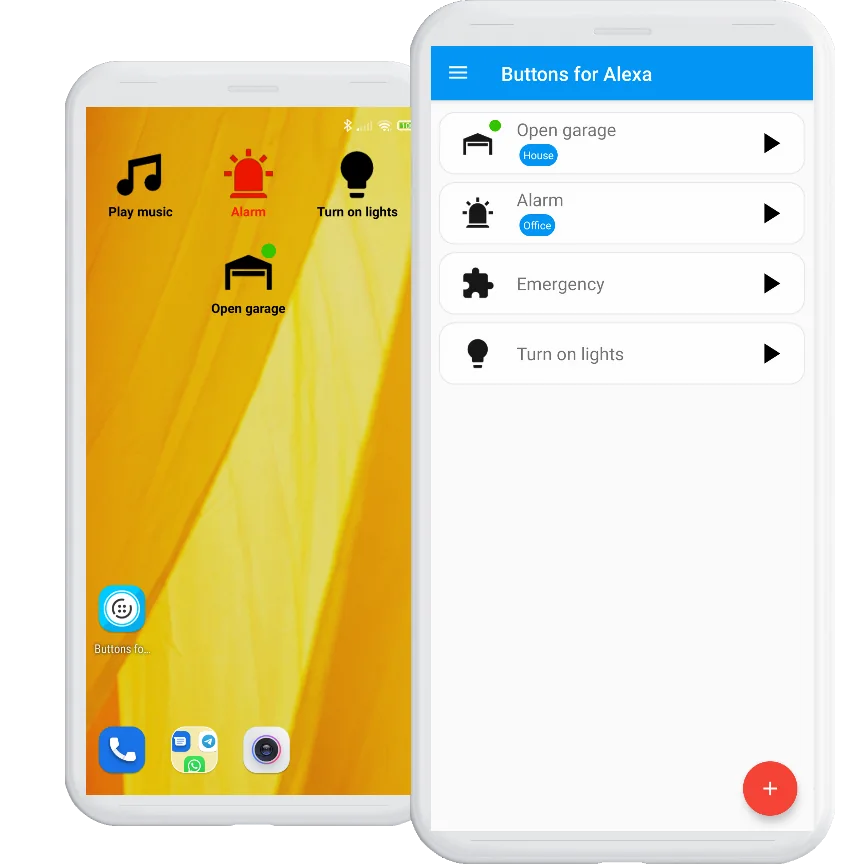
When is a button better than voice?
Voice is excellent when it is convenient. A button is better when the same phrase becomes repetitive, the environment is noisy or quiet, you are using a tablet as a fixed smart-home panel, or another Android event should decide when to run the action.
Typical examples include a “bedtime” routine, an “all lights off” routine, a garage command or a group of smart-home actions that you trigger many times each week.
Ways to trigger the routine without speaking
1. Android home-screen widget
This is the most direct option. Put the routine on your home screen and tap it when needed. See the widget setup guide.
2. Buttons for Alexa app
Save multiple routine commands in the app and execute an available command from the routine list. PRO expands the number of commands/widgets you can use.
3. Android Auto
Run saved Alexa routine actions directly from Android Auto when the action is useful in the car — for example a gate, garage, driveway lights or heating preset. See the Android Auto guide.
4. Android automation
Use the dedicated Tasker plugin or a compatible Notify integration to trigger a saved routine. PRO is required. There is no direct Google Home or generic Android intent recipe. See automation examples.
5. Android device controls
On supported Android versions/devices, Buttons for Alexa can expose actions through Android smart-home/device controls. The exact system UI varies by Android version and manufacturer. See the Android controls guide.
What about smartwatches and Android Auto?
Android Auto is now a direct Buttons for Alexa integration. You can expose useful saved routines in the car interface without routing them through Tasker.
Smartwatch workflows are different: a compatible watch or companion app can trigger a Tasker task or a dedicated Notify integration on the phone. Check compatibility in the companion app; this does not imply a native Buttons for Alexa watch app.
Choose the shortest path
Use Android Auto for deliberate in-car actions. Use automation when the trigger is a Tasker profile or a supported wearable action configured in a compatible Notify app.
What stays in the official Alexa app?
The routine itself. Buttons for Alexa does not become the routine editor and does not copy the smart-home logic out of Alexa. You create the routine in Alexa, test that it works there, then save its trigger command in Buttons for Alexa.
Frequently asked questions
How can I run an Alexa routine without saying the command?
Use an alternative trigger. On Android, Buttons for Alexa can turn the saved routine command into a home-screen widget or button, expose it in Android Auto, or let compatible automations trigger it through the PRO Tasker plugin or a dedicated compatible Notify integration.
Does this disable voice control?
No. Voice continues to work normally. Buttons for Alexa simply adds another way to trigger the same routine.
Can I use a silent button at night?
Yes. A widget is useful when you want to start a routine without speaking aloud. Alexa may still produce audio if the routine itself is configured to speak or play media.
Can an automation run the routine instead of me tapping?
Yes. Tasker has a dedicated Buttons for Alexa integration, and compatible Notify apps can offer a dedicated integration. These integrations require PRO.
Can I run the routine from Android Auto?
Yes. Buttons for Alexa includes direct Android Auto integration, so saved Alexa routine actions can be launched from the car interface.